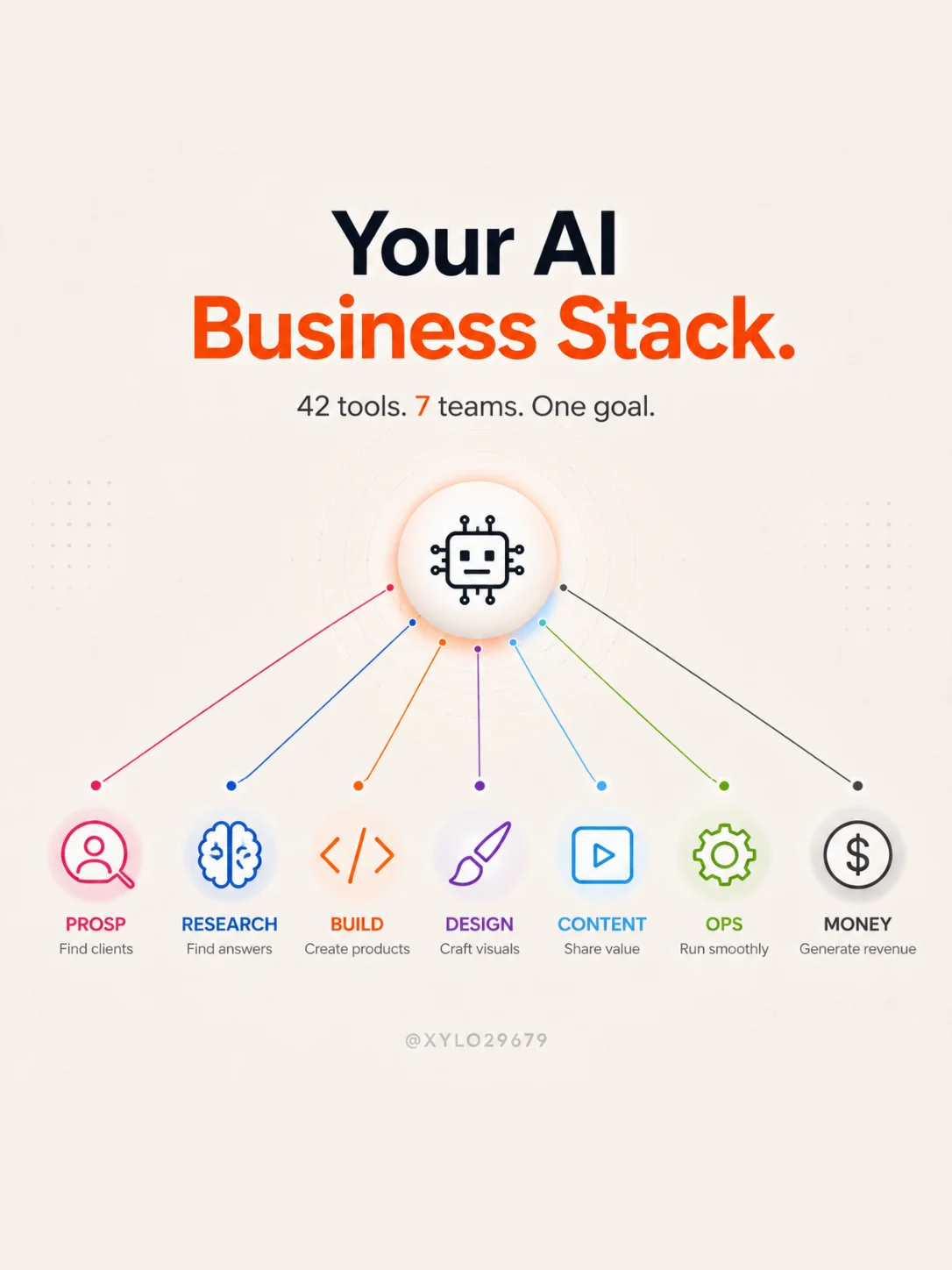
Even a one-person company does seven jobs at once: it looks for customers, it does the homework, it builds, it dresses itself, it gets known, it stays organised, and it counts the money. What most people call “their stack” is simply the team they’ve assembled to hold those seven posts alone.
Here are the forty-two tools I use or recommend, sorted by post, with the first pick for each team and the free option where one exists. The order isn’t decorative: it starts with prospecting, because a business without customers isn’t a business running late — it’s a project.
The seven teams, at a glance
Each team answers a question you’ll end up asking anyway. Until the question comes up, the tool is useless — that single rule is what keeps you from paying for twelve subscriptions before you’ve earned a euro.
| Team | The question it answers | First pick |
|---|---|---|
| 01 · Prospecting | Who am I selling to?Find the right companies and write to them | Lihn |
| 02 · Research | Does anyone want this?Validate before you build | ChatGPT |
| 03 · Build | How do I make it?Site, app, first version | Codex |
| 04 · Design | What does it look like?Identity, visuals, credibility | Figma |
| 05 · Content | How do people find me?Video, posts, presence | CapCut |
| 06 · Operations | How does it run without me?Organisation and automation | Notion |
| 07 · Money | Where does the money go?Get paid, count, sign | Stripe |
Team 1
Prospecting — finding customers
Go from an offer nobody has heard of to thirty companies that know it exists.
This is the team people assemble last, and the one that decides everything. A product without customers looks like a business — it has the homepage and the logo — it just doesn’t have the revenue. Starting here forces a healthy question in week one: who, exactly, am I talking to?
- Lihn — you describe what you sell and to whom; it finds the companies that match, tells you why each one was kept, drafts the messages and tracks the replies. You approve what goes out. Paid, from €19 a month.
- Apollo — a database of verified B2B contacts, with a free plan generous enough to test a targeting idea before spending anything.
- Lemlist — sequenced sending with automatic follow-ups, for people who already write a lot and want to drive everything by hand.
- Clay — enrich a list you already have: headcount, tech stack, funding, open roles. Useful when you have names but no angle yet.
- Instantly — scale up once a sequence works. Before that, it’s just a faster way to get ignored.
- HubSpot — the free CRM, so you don’t lose the thread of a conversation you started three weeks ago.
Team 2
Research — knowing before building
Replace your intuition with what real people have already said, done and paid for.
This team costs almost nothing and saves months. Its job isn’t to tell you whether your idea is good — no tool knows that — but to show you what already exists, what people are searching for, and the words they use to describe their problem.
- ChatGPT — the do-everything tool of this team: frame an idea, compare angles, prepare interview questions. A free plan exists.
- Perplexity — web search with the sources shown under each answer. That’s what makes it checkable, and therefore usable in a decision.
- NotebookLM — drop in twenty documents, ask your questions of them. Free, and brutally effective for digesting a market in one evening.
- Google Trends — free. Demand that’s rising, demand that’s dying, and the seasonality nobody sees coming.
- Reddit — what people say when nobody is trying to sell them anything. The exact wording of their problem is right there.
- Typeform — a clean survey for when you need numbers, not just impressions.
Team 3
Build — turning the idea into a product
Get an address a stranger can open and understand in ten seconds.
The choice comes down to one question: are you selling a service, or is the software the product? A service needs a shop window, and a shop window takes a day. A software product needs a real database, and that is a different job.
- Codex — write, refactor and test code with AI, including when you can’t code. This is the tool that moved the barrier to entry the most.
- Cursor — the editor where the AI sees the whole project, not just the open file. You feel the difference past the second thousand lines.
- Replit — build and deploy from the browser, with nothing to install. The shortest path from an idea to a URL.
- Framer — the shop window for a service, live the same day, with a free plan that’s enough to validate.
- Webflow — the full site, for when it has to live for years and be picked up by someone other than you.
- Supabase — database, user accounts and file storage in one piece. The part everyone underestimates.
Team 4
Design — credible, not award-winning
An identity that looks like neither a template nor homework handed in late.
At this stage design has exactly one job: remove doubt. Nobody buys because the palette is beautiful, but plenty of people don’t buy because the page looks abandoned. The rule fits in three numbers: two colours, one typeface, three visuals.
- Figma — design interfaces and prototypes, and above all share a link instead of a screenshot.
- Canva — everyday visuals in minutes. This is the tool that stops you postponing a post for lack of an image.
- Midjourney — brand imagery, for when you want a world rather than a decent illustration.
- Higgsfield — cinematic visuals and video, for a homepage or an ad.
- Krea — generate and retouch live, with the render keeping up while you adjust.
- Ideogram — the only one on this list that writes legible text inside an image. For covers and titles, that changes everything.
Team 5
Content — getting known without posting at random
One format, one rhythm, and people arriving without you going to fetch them.
Content doesn’t replace prospecting: it makes it easier. Someone who has already seen two of your videos answers your message differently. That is the only serious reason to make content early on.
- CapCut — fast vertical editing with automatic captions. The barrier to entry for short video disappeared here.
- Descript — edit video by editing its transcript. Delete the sentence, the video follows.
- OpusClip — cut a long format into publishable clips, when you already have footage sitting unused.
- Gamma — decks and sales documents, generated then reworked by hand.
- Metricool — see what actually worked, and schedule what’s next in the same place.
- Buffer — publish across platforms without going back five times. The free plan covers one account per network.
Team 6
Operations — keeping the shop running
Win back the hours lost to copying things from one place to another.
This team shows up later than the others, and that’s right: you can’t automate a process you’ve never done by hand. Do it ten times, note what irritates you, then automate exactly that.
- Notion — the shared house: notes, projects, customer list, procedures. The free plan lasts a long time when you’re on your own.
- Make — build automations visually. Cheaper than Zapier as soon as there is volume.
- Zapier — the widest catalogue of connectors. If a tool exists somewhere, this is where it’s already plugged in.
- Airtable — the database that looks like a spreadsheet, for data that no longer fits in Notion.
- Slack — useful from the second person onwards, and not before. Alone, it only adds notifications.
- Google Workspace — a professional address on your own domain, plus docs and calendar. It’s also what makes outreach possible at all: a personal inbox has neither the reputation nor the right to send commercial mail.
Team 7
Money — get paid, count, sign
Be paid without thinking about it, and know what's left at the end of the month.
The last team is the only one that makes money visible. Until it exists, you think you know what you earn; afterwards, you know. It’s also the one that saves you a full week at accounts time.
- Stripe — take payments online, one-off or recurring. No subscription to pay: a fee taken on each payment instead.
- Qonto — the business account, opened online, with cards and receipts in one place.
- Pennylane — accounting that talks to your accountant rather than replacing them.
- Indy — built for freelancers: categorise, file, and understand what you’re signing. A free plan exists.
- DocuSign — electronic signature, for when a quote approved by return email is no longer enough.
- Legalstart — set up and run the company without three evenings of forms. For your own situation, a professional is still the right address.
The minimum stack, at zero euros
Seven tools, one per team, all usable for free. It doesn’t replace the full version, but it is more than enough to reach your first customer — and it’s the first customer who pays for the subscriptions after that.
- Prospecting — Apollo on the free plan, to build a first list and check your target actually exists.
- Research — ChatGPT on the free plan, plus Google Trends and Reddit, which cost nothing at all.
- Build — Framer or Webflow on the free plan: a page online, on a temporary address.
- Design — Canva, and a decent profile picture taken in daylight.
- Content — CapCut to edit, Buffer to publish.
- Operations — Notion, and nothing else while you’re on your own.
- Money — Stripe: no subscription, a fee only when you get paid.
The first subscription I’d actually pay for is none of those. It’s team 1: the only spend that pays for itself with one customer, and the only one willpower can’t replace.
Three mistakes that cost more than the subscriptions
- Buying the stack before having a customer. Forty-two tools adds up to six hundred euros a month fast. A tool gets added when a task becomes painful, never when it becomes imaginable.
- Paying for two tools that do the same thing. Make and Zapier, Figma and Canva, Lemlist and Instantly: each pair earns its keep at scale, and gets paid for twice before that.
- Changing tools instead of changing the offer. When nothing takes off, the urge is to reinstall. The problem is almost always one team higher up: the targeting, or the promise.
From 42 to 8, in one answer
You don’t need all forty-two. You need one per team, chosen for what you sell. Paste this prompt into ChatGPT or Claude: it hands back a stack in eight lines, including what you shouldn’t pay for yet.
You are an operator who builds businesses solo and hates useless subscriptions.

My business: [describe what you sell, in one sentence]
My target: [job title, company size, country]
My tooling budget: [amount] € per month
What I can do myself: [code, design, video, none of the above]

Here are the seven posts to cover: prospecting, research, build, design, content, operations, money.

1. For each post, pick ONE tool and only one, and say in a single line why that one rather than another FOR MY CASE.
2. Tell me which ones I can keep on the free plan for the first three months.
3. Tell me which ones I should NOT take yet, and the concrete signal that means it's time to add them.
4. Give me the order to plug them in, first to last, with the setup time for each.

Stay inside the budget. If the budget isn't enough, tell me what I'm giving up and what it will cost me.
The order to plug them in
Assembling the seven teams at once is the surest way to have none of them running. There is an order, and it isn’t the order of the carousel:
- Research, two days. You build nothing until you can write the problem in your customer’s words.
- Build, one day. One page, one promise, one button.
- Design, half a day. Timer running.
- Prospecting, and from then on every week. This is the team that never stops.
- Money, from the first customer: get paid properly, separate the accounts.
- Content, once you understand what makes people say yes. Before that, you’re publishing hypotheses.
- Operations, last, on what already annoys you. Not on what might annoy you one day.
Six teams prepare the ground. One brings in customers.
You can own the finest stack on the market: as long as nobody knows you exist, it produces nothing. Lihn holds team 1 for you — it finds the companies that match your offer, drafts the messages, sends the planned follow-ups and hands you back the wheel the moment a real reply arrives.
Try Lihn for freeYou decide. Lihn does the rest.